mirror of
https://github.com/sipeed/MaixCDK.git
synced 2026-11-09 17:04:38 -06:00

102 lines
4.1 KiB
Markdown
102 lines
4.1 KiB
Markdown
MaixCDK
|
||
===================
|
||
|
||
<div align="center">
|
||
|
||
|
||
|
||
|
||
<h2>MaixCDK: 快速落地 AI 视觉、听觉应用</h2>
|
||
|
||
**Let's Sipeed up, Maximize AI's power!**
|
||
|
||
<h3>
|
||
<a href="https://wiki.sipeed.com/maixcdk/doc/index.html"> 快速开始 </a> |
|
||
<a href="https://wiki.sipeed.com/maixcdk/index.html"> 文档 </a> |
|
||
<a href="https://wiki.sipeed.com/maixcdk/api/index.html"> API </a> |
|
||
<a href="https://wiki.sipeed.com/maixcam-pro"> 硬件 </a> |
|
||
<a href="https://maixhub.com/app"> 应用商店 </a>
|
||
</h3>
|
||
|
||
[](https://github.com/sipeed/MaixCDK/stargazers)
|
||
[]("https://github.com/sipeed/MaixCDK/blob/main/LICENSE.md)
|
||

|
||
[](https://github.com/sipeed/MaixCDK/actions/workflows/build_maixcam.yml)
|
||
[](https://github.com/sipeed/MaixCDK/actions/workflows/trigger_wiki.yml)
|
||
|
||
[English](./README.md) | 中文
|
||
|
||
</div>
|
||
|
||
|
||
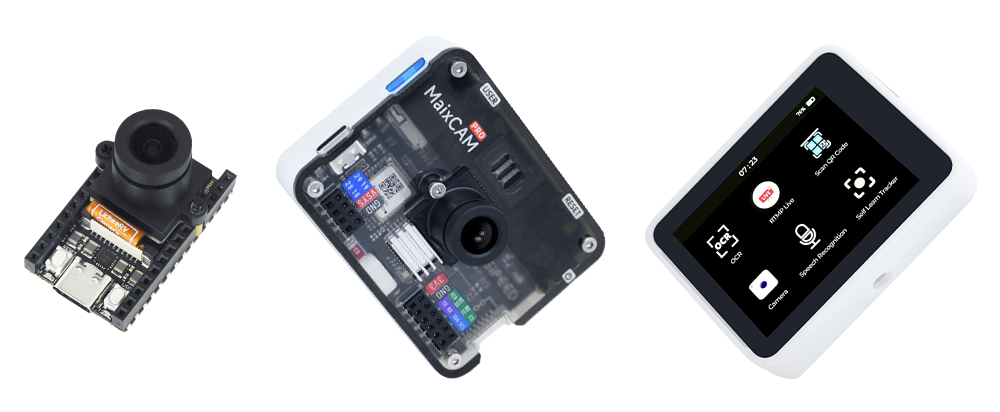
MaixCDK(Maix C/CPP Development Kit) 是集成了 AI + 机器视觉 + IOT 等实用功能的 C/C++ 开发套件,简单易用的封装,让你快速构建自己的视觉、人工智能、IOT、机器人、工业相机等项目。
|
||
|
||
也是 [MaixPy](https://github.com/sipeed/MaixPy) 的 C/C++ 版本。
|
||
|
||
## 特性
|
||
|
||
* 支持 AI 模型硬件加速运行,支持常见 分类、检测、分割、跟踪等算法。
|
||
* 支持常用视觉算法,比如 找色块、二维码、apriltag、巡线等等。
|
||
* 支持 OpenCV。
|
||
* 常用外设操作(UART、IIC、SPI、GPIO、PWM、ADC、摄像头、屏幕等)。
|
||
* 多平台支持, 支持 Linux,Sipeed Maix 系列开发板(具体看下方表格)。
|
||
* 简单易用的 API,提供常用功能例程。
|
||
* 环境搭建简单,一键编译。
|
||
* 支持在线调试程序。
|
||
* 有对应的 Python 版本(MaixPy),API 自动同步更新。
|
||
* 完整生态, MaixCDK + MaixPy + MaixVision(代码编写,实时图像查看等) + MaixHub(应用商店,分享交流等)
|
||
|
||
更多介绍可以看 [MaixPy](https://github.com/sipeed/MaixPy) 介绍和文档
|
||
|
||
|
||
## 支持的设备
|
||
|
||
| 设备名 | 支持状态 |
|
||
| ----- | ------- |
|
||
| [Sipeed MaixCAM](https://wiki.sipeed.com/maixcam) | 完全支持 |
|
||
| [Sipeed MaixCAM-Pro](https://wiki.sipeed.com/maixcam-pro) | 完全支持 |
|
||
| 通用 Linux | 部分支持 |
|
||
|
||
|
||
## 快速开始
|
||
|
||
点击查看 [快速开始](./docs/doc_zh/README.md) 文档,里面包含了如何快速下载代码、编译、运行
|
||
|
||
## MaixCDK 开发准则
|
||
|
||
为帮助开发者快速了解 MaixCDK, 以及保持长期更新的质量,在 编写 或 贡献 代码前,请务必阅读 [MaixCDK 开发准则和指导](./docs/doc_zh/convention/README.md)。
|
||
|
||
|
||
## 更多文档
|
||
|
||
除了上面的开发准则,文档里面还有应用文档,开发笔记等供查阅。
|
||
|
||
请访问 [Sipeed Wiki](https://wiki.sipeed.com/maixcdk) 在线查看。
|
||
|
||
文档在[docs](./docs)目录下,使用`Markdown`格式编写,可以直接查看`.md`文件,
|
||
也可以使用[teedoc](https://github.com/teedoc/teedoc)工具生成网页版文档。
|
||
|
||
```shell
|
||
pip install teedoc -U # 用 pip 安装 teedoc
|
||
cd docs # 进入 docs 目录
|
||
teedoc install -i https://pypi.tuna.tsinghua.edu.cn/simple # 根据文档配置安装 teedoc 插件
|
||
teedoc serve # 启动一个本地网页服务用以预览
|
||
```
|
||
然后用浏览器访问`http://127.0.0.1:2333`即可看到文档。
|
||
|
||
|
||
> 如果需要生成离线文档,使用`teedoc build`命令,生成的文档在`out`目录下,
|
||
> 使用者在`out`目录下使用`python -m http.server`命令来启动一个本地网页服务用以预览。
|
||
|
||
|
||
## 常见问题
|
||
|
||
在编译或者使用时遇到问题,首先看下[FAQ](./docs/doc_zh/faq.md)是否有解决方案。
|
||
|
||
|
||
## 开源协议
|
||
|
||
MaixCDK 采用 Apache 2.0 开源协议,详见 [LICENSE](./LICENSE) 文件。
|
||
|
||
|